
Learn how SoLo Engineering implemented MCP as a secure interface to existing product workflows—reusing authorization, business logic, and data systems without creating a second application layer.
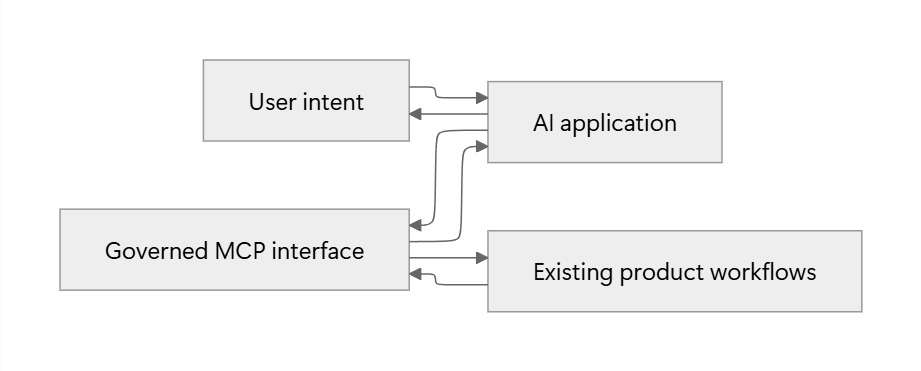
🔌How we designed an agent-facing interface (MCP) while keeping authorization, data access and product behavior in their existing source of truth
By SoLo Engineering · September 2026 · 8 min read
At a glance: MCP gives an AI application a governed path into existing product workflows. The diagram is conceptual and does not represent internal topology.
Adding MCP support can look like a small integration project. The difficult part is deciding where the new interface should connect.
Attach it too high and the agent inherits API-specific behavior that was designed for a different kind of client. Attach it too low and the team starts rebuilding product rules around the database. Put it in a separate service and that service can slowly become another version of the application.
At SoLo Funds, we build financial technology where authorization and predictable behavior matter. An agent cannot get a separate, looser set of rules just because the interface is conversational.
The Model Context Protocol gives AI applications a standard way to discover and call tools. Getting the protocol connection working is not the difficult part. The real work is finding a boundary that makes the model useful without creating another place to maintain authorization, data access and business logic.
💡How we designed an agent-facing interface while keeping authorization, data access and product behavior in their existing source of truth
That left us with one practical question:
A normal application follows a workflow that engineers define ahead of time. The client knows which endpoint to call, what to send and what comes next. We build that sequence, test it and ship it.
An agent starts with a goal.
Imagine someone telling an assistant:
The model understands the request. It does not automatically know which systems exist, which actions are allowed or what a result actually means. It needs a clear set of capabilities to choose from.
We were not designing another predictable client. We were designing for a caller that might choose tools in an order we had not explicitly programmed. That required a smaller, clearer interface than the APIs underneath it.
The quickest options were tempting. We could put a generic bridge in front of the API or generate tools from an existing specification. Either approach can produce a fast prototype. The problem is that the API ends up deciding what the tools look like.
We compared four common approaches:
We landed on the application-layer adapter. It meant doing more thinking for each tool, but that was useful work. We had to decide which capabilities mattered, what each response meant and where the safety checks belonged.
⚖️How we designed an agent-facing interface while keeping authorization, data access and product behavior in their existing source of truth
The fastest implementation was not the one we wanted to maintain. We kept coming back to one rule:
We treated MCP as another way into the application, alongside the interfaces our product already used. Both paths end up in the same application workflows, authorization checks and business rules.
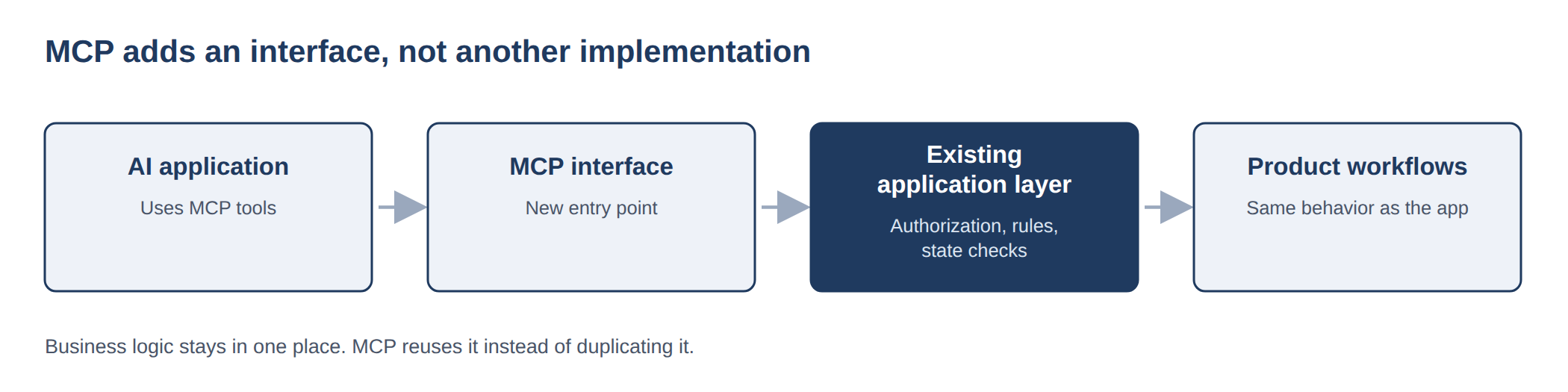
Figure 1: MCP adds another interface to existing application behavior. It does not introduce another implementation of authorization, business rules or data ownership.
The split is straightforward:
The interface itself can stay thin. Choosing the right tools is where the judgment comes in.
Some of our most important decisions were about what to leave out.
These constraints keep the MCP layer small. More importantly, they prevent it from turning into a second application that we would have to maintain alongside the first.
Consider a generic marketplace where someone can create a request, inspect responses and choose an option. Instead of copying every underlying operation, an agent might see four tools:
create_requestget_request_statusaccept_optiondecline_optionThe names are simple. Getting the contracts right takes more care.
not_found, never_occurred, temporarily_unavailable and accepted_not_completed are different outcomes. The response should keep them separate.We review descriptions, schemas and field mappings together. Tool metadata such as read-only, destructive and idempotent hints can help clients understand risk, but they do not replace authorization.
Read and write tools have different consequences. A bad read wastes time. A bad write changes something real.
We still want the user to approve sensitive actions. That approval is part of the experience, not the security boundary. The server has to check the caller, permissions, target and current state again when the tool runs.
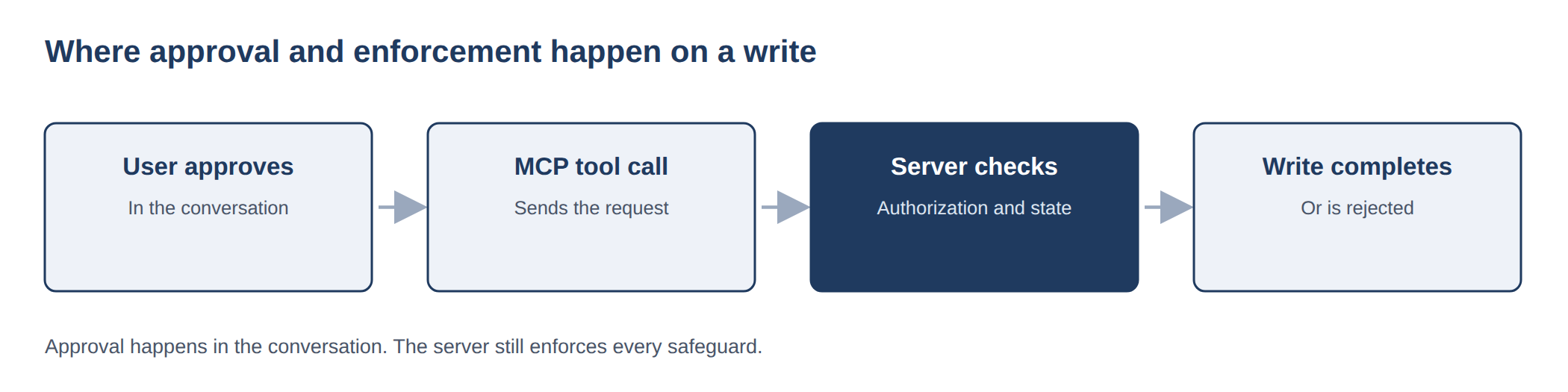
Figure 2: User approval happens in the conversation. Authorization and state checks still happen on the server.
For writes, we use the same controls we would expect on any sensitive production interface:
accepted, completed and failedWhen identity, permission, approval or state is unclear, the safer answer is not to proceed.
We judge the architecture partly by what it allows us not to duplicate.
The leverage does not come from building another platform. It comes from finding the narrowest useful boundary in the platform we already trust.
Our goal was not to build a separate application for agents. It was to give agents a carefully designed way into the application we already trusted. MCP supplied the protocol. The engineering work was finding the boundary that let us add a new interface without adding a second copy of the product.


